ID: I202608031102
Status: idea
Tags: Microslop, xbox, Privacy
stop xbox sharing your real name
Apparently xbox shares your real name by default. And the guide on xbox their support forums is outdated. Now there are 2 ways of fixing this, option 1 is just stopping this from being shared. Option 2 is changing your name to a fake name. I’ll be showing both options.
Stop it from being shared
Step 1: https://www.xbox.com/play/user/ (this should redirect to your own xbox profile)
Step 2:
Click on your profile image and go to settings.
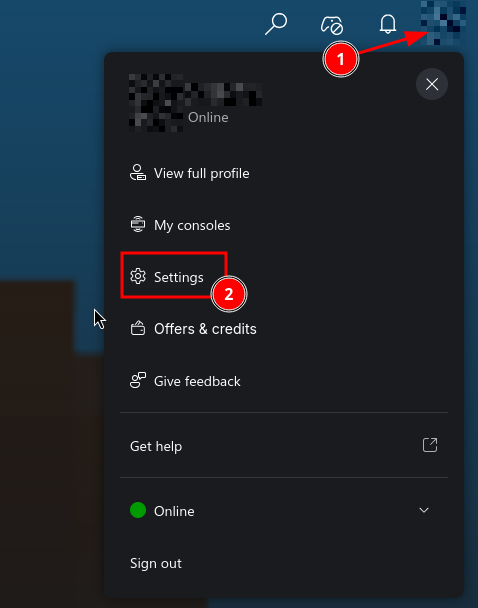
Step 3:
Once we are in the settings menu, go to the safety and privacy screen, and click on the manage safety.
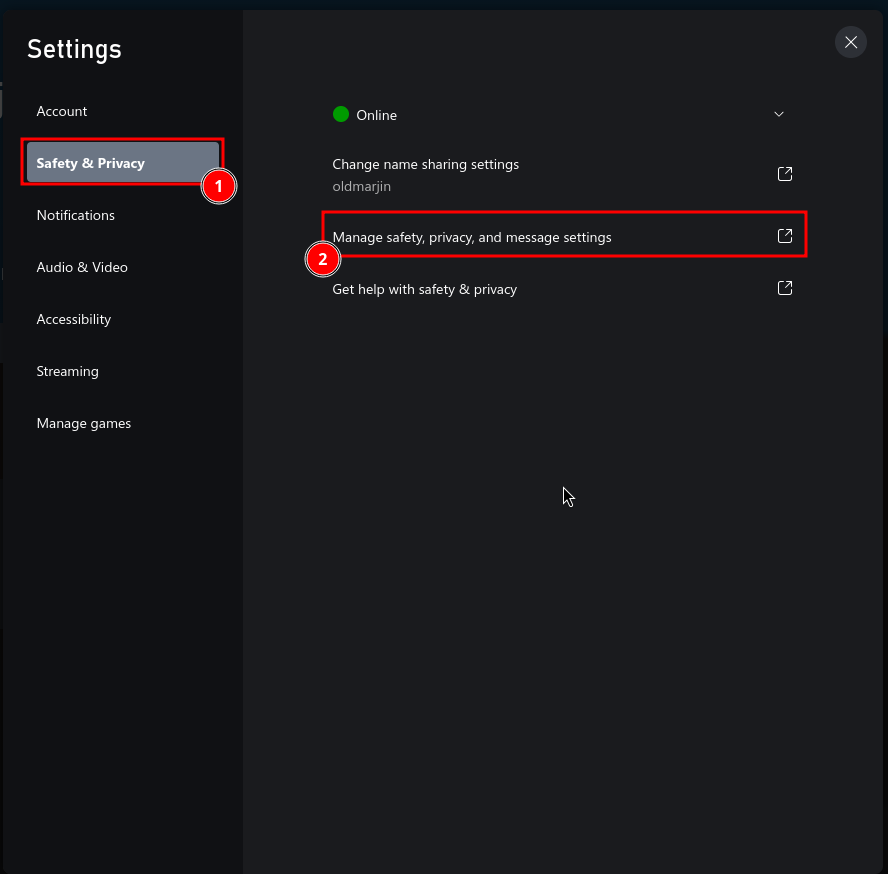
Step 4:
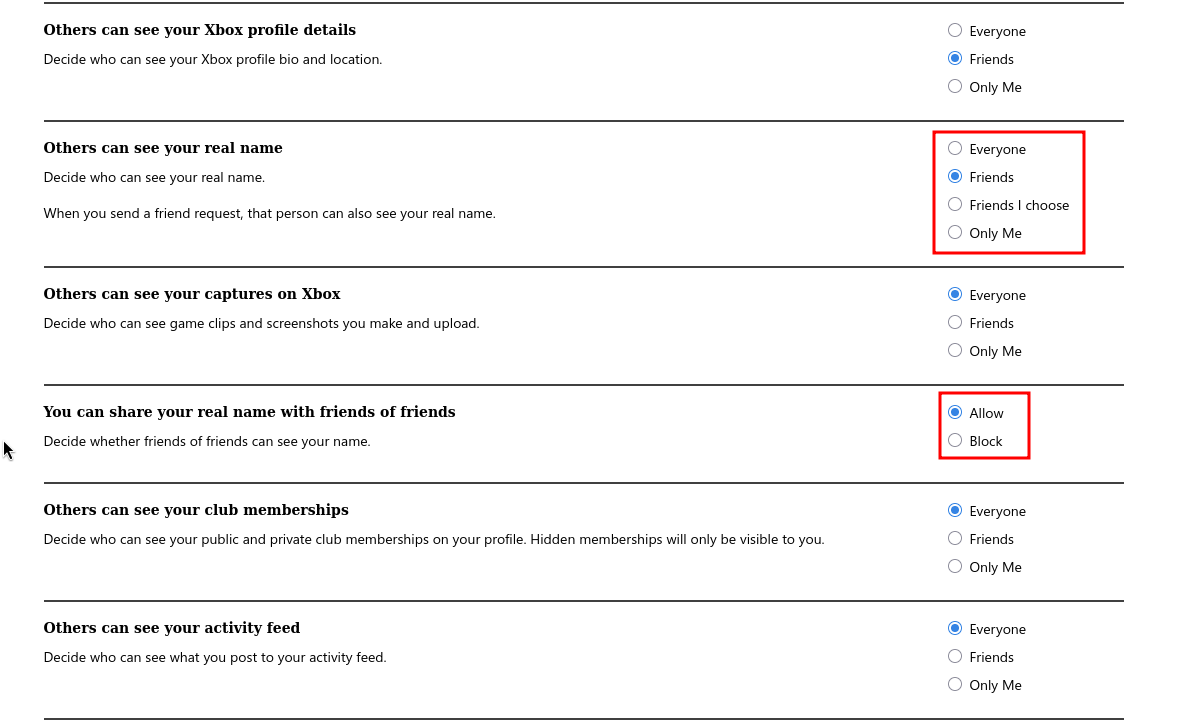
Now this is probably what you’ll en up on, but you might be on a different screen by default, so to get here, click the privacy tab (1), and then again the privacy tab (2).
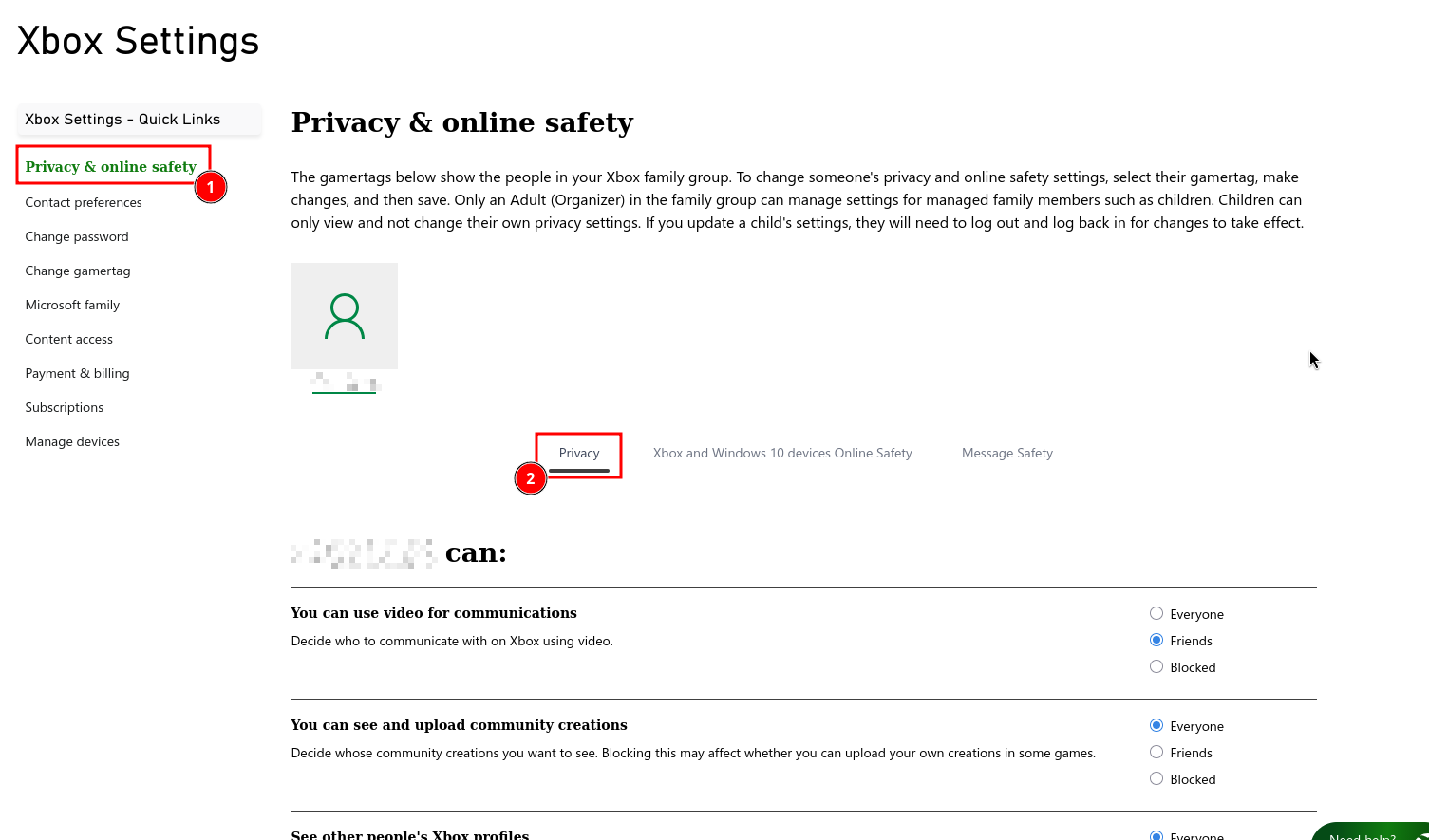
Then we scroll down till you end up here. Now I do not know why there are 2 settings for this, but just disable it.
Step 5:
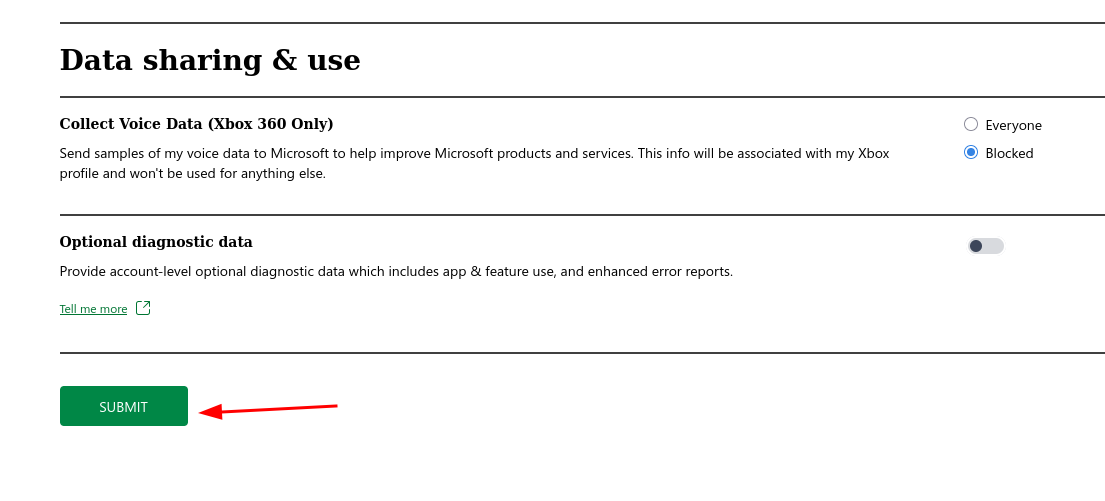
Don’t forget to submit the changes. The submit button is all the way at the bottom. Refresh to see whether it has been applied.
Change your real name
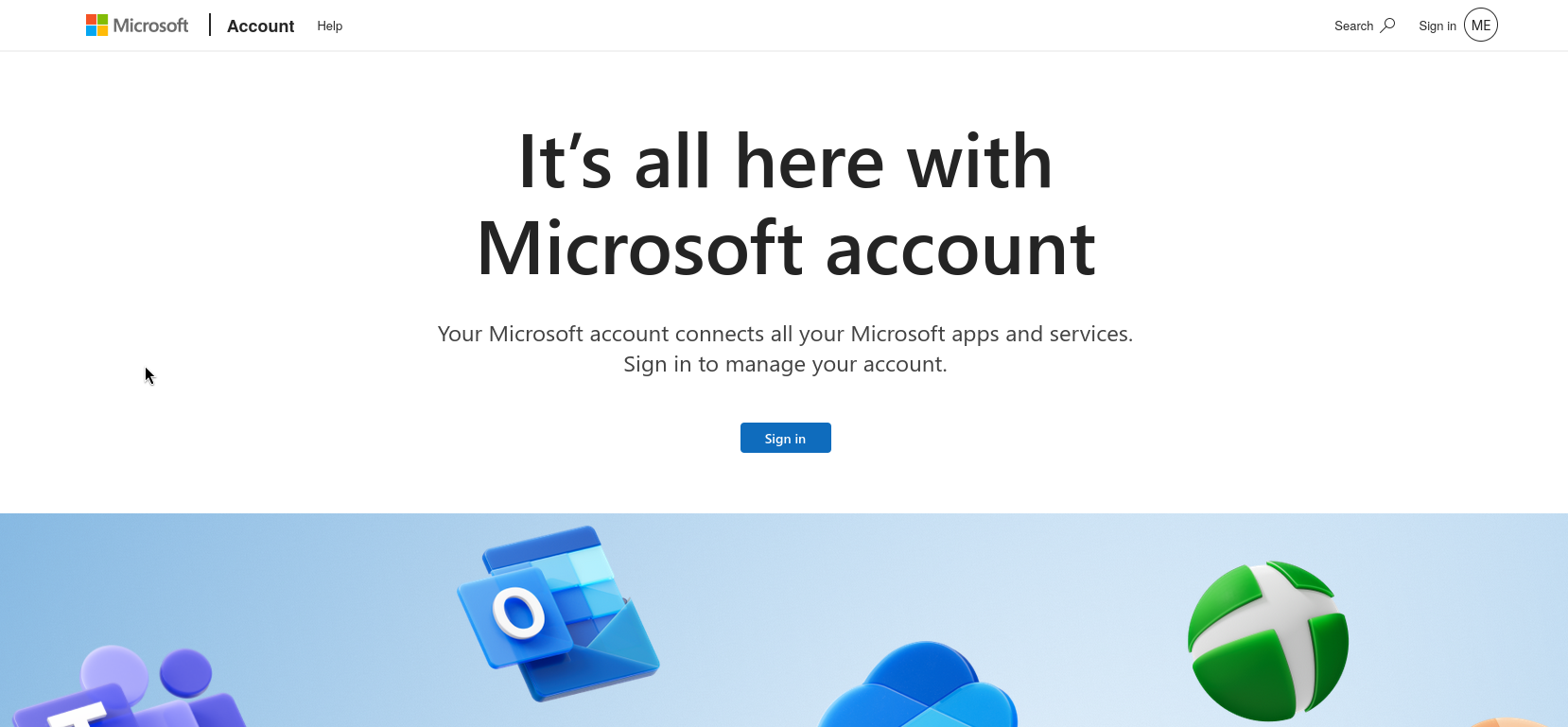
navigate to https://account.microsoft.com and click on “your info”. There you can change your full name.
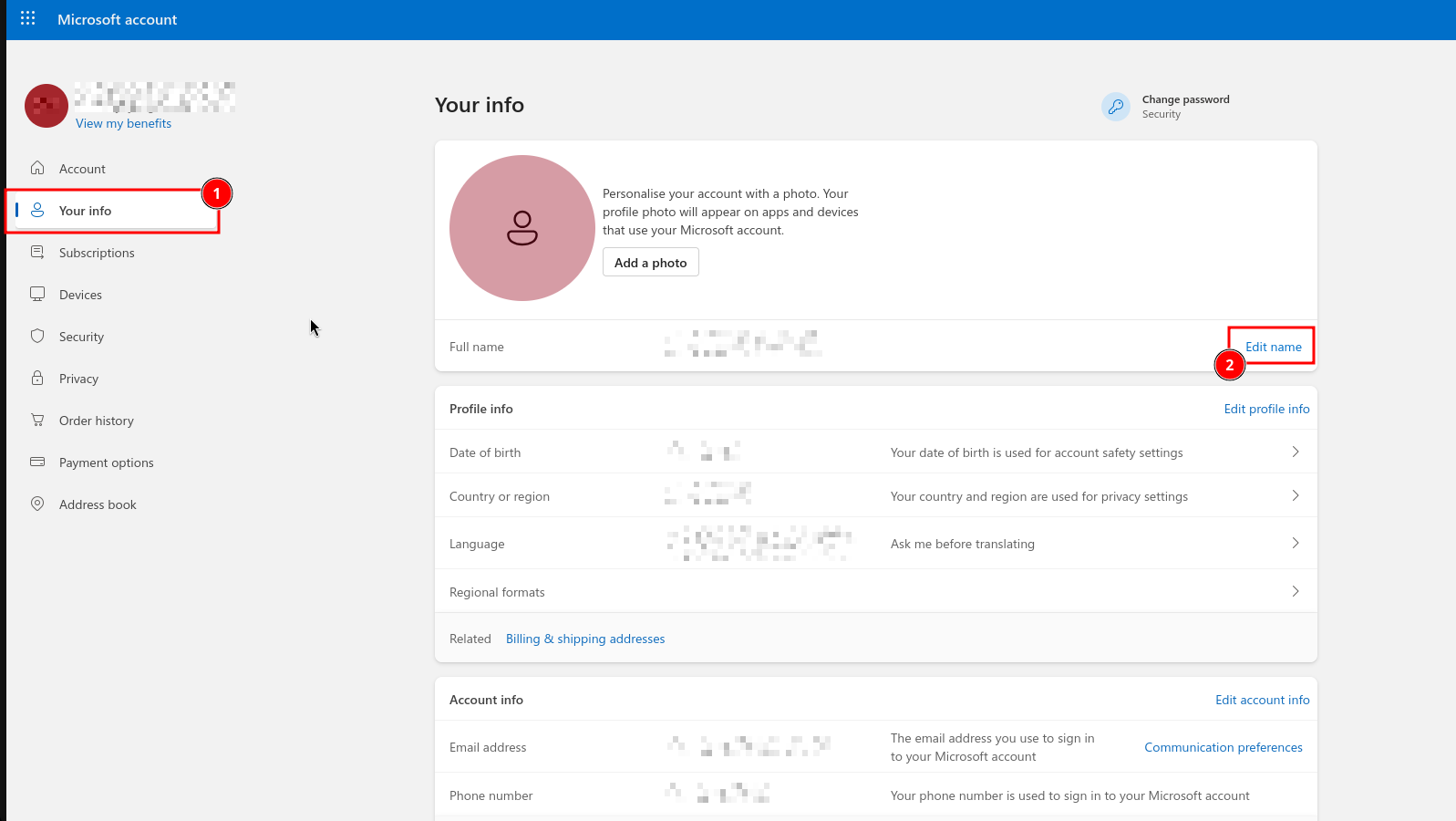
Here you can also change other info you do not like Microsoft to have, information like your birthday is not something they’ll need of you. Although for some reason, pressing the “Edit profile info” button sends me to this page (see image below) with a bugged signed-in and signed-out state, so I am unable to edit it. But at least our full name is removed.