ID: I202605191923
Status: idea
Tags: Windows
windows boot manager has been blocked by the current security policy
Today, one of my relatives got this fun message on their laptop when they wanted to boot it: “Windows boot manager has been blocked by the current security policy”, it only has 1 button present, “OK”. And when they pressed it, it lead to another popup:
Default Boot Device Missing or Boot Failed.
Inser Recovery Media and Hit any key
Then Select 'Boot Manager' to choose a new Boot Device or to Boot Recovery Media
Would you like to continue?
With again, only 1 “OK” button present. Pressing that leads to a please select boot device menu that only had the Windows Boot Manager in it. Selecting it leads back again to the first message.
Then I shut the laptop down, started it again and immediately pressed f2. This made it boot into the BIOS. At first I thought I couldn’t get into the BIOS because this message pops up so quick after pressing the on button, and didn’t show the usual boot screen of “press x to get into BIOS”.
But I did manage to get into the BIOS, here I disabled secure boot. Then I saved the changes and restarted, this brought me to the famous bitclocker screen:
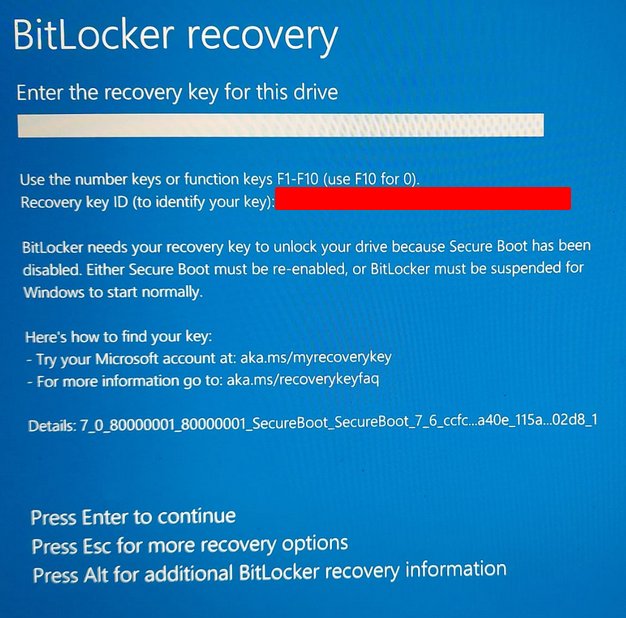
Then you need to go to http://aka.ms/myrecoverykey to find your recovery key, and just fill it in.
What you should probably do afterwards
This is a bandaid method, you disabled secure boot to get around the problem, but obviously there is an underlying issue. Another reddit user says that you should either upgrade your Windows, or preform a clean install of windows.
My personal advice is to switch to Linux instead ;)
References
- A reddit post with the same issue: https://www.reddit.com/r/techsupport/comments/1rd9w7t/windows_boot_manager_has_been_blocked_by_current/