ID: I202605070835
Status: idea
Tags: Linux
linux disable middle click paste
In KDE and GNOME it will paste your clipboard when pressing the middle mouse button.
KDE
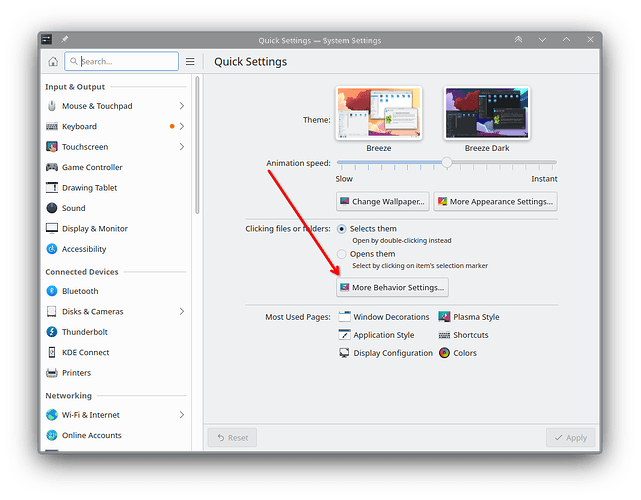
To disable this in KDE, we’ll do the following: You can disable this by going into the quick settings, and clicking the “more behavior settings” button
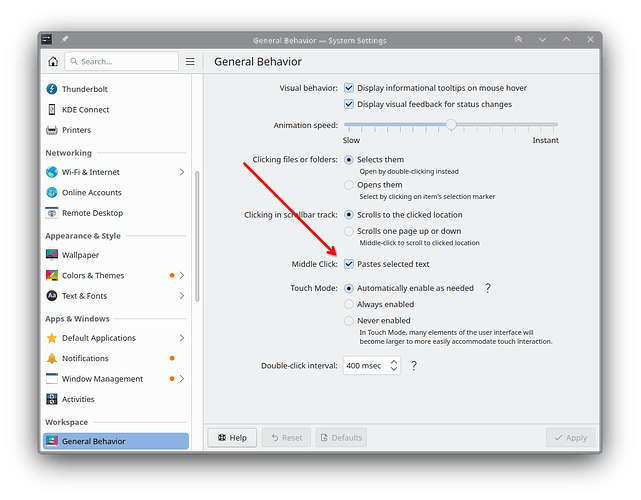
 Then you can scroll down and disable the middle click pasting.
GNOME
To disable this functionality in GNOME we’ll use sudo apt install gnome-tweaks.
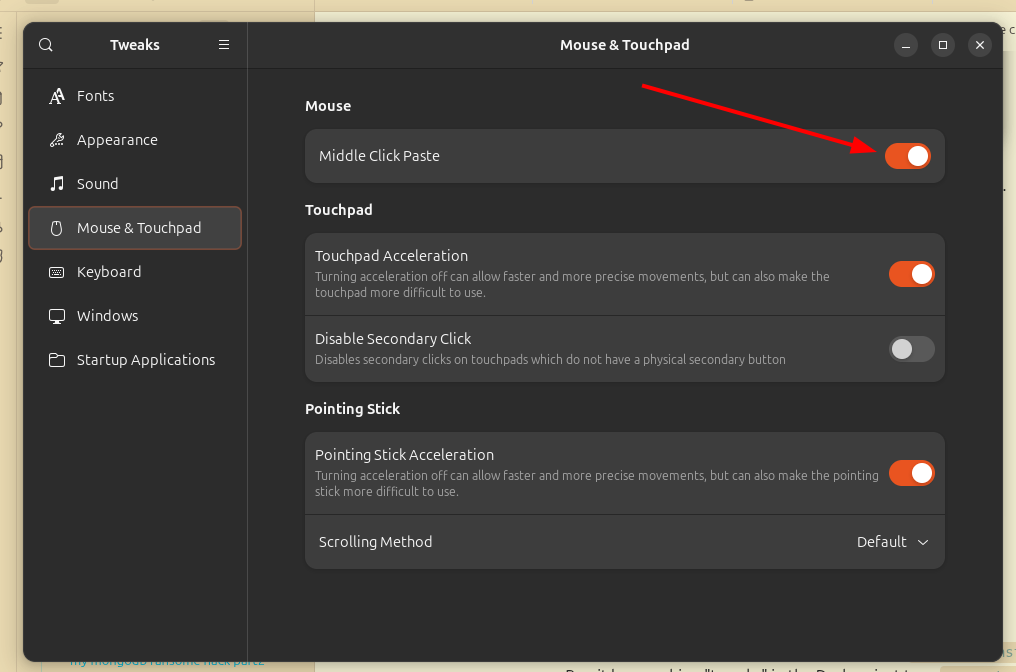
Run it by searching “tweaks” in the Dash or just type gnome-tweaks in the terminal.
And then in the Mouse & Touchpad section, disable the Middle click paste:
References
- the source of my KDE solution: link